

Modern cars run a small network inside them, so the engine, the dashboard and the brakes can talk to each other. Plug CARGB in and it listens to that conversation, then drives your lights from what it hears. It does not guess at engine speed from a microphone or ask you to hold a phone — it reads the real thing.
How it connects to your car
Most people use the first option: the socket under the dash that cars built from 2008 onwards have. If you have fitted an aftermarket engine computer, it can read that directly instead. And if your car sends something unusual, you can teach it what to look for.
None of it is required. Every pattern, palette and colour works with nothing connected — connecting to the car is what makes the lighting follow what you are doing.
Not sure which yours uses? Check your car — or send us the make, model and year and we will tell you.
- OBDII CAN
- The easiest way to start, and what most people use. It plugs into the socket under your dash — the same one a garage plugs a scanner into — and works straight away, with nothing to set up. Cars sold from 2008 onwards almost all use it. Some older cars have the same socket but talk a different way through it, which this cannot read, so ask us first if yours is older.
- DBC File
- Import your vehicle's DBC file. The app reads it, lists the signals it contains, and you pick the ones you want — no transcribing. It can write a DBC back out as well.
- Wizard
- Let the app find the signal for you. Name it, type a value you can hold — 2000 rpm, say — then hold it there and hit Sample. Repeat a few times across the range and it works out which bytes track your value, ranks the candidates, and builds the signal from the one you pick.
- Manual Entry
- Type the frame in yourself: CAN id, start bit, length, byte order, signed or not, and the scaling. Nothing has to be discovered if you already have the numbers.
- Hall Effect or Digital
- For a car with no CAN bus. The two CAN pins read engine speed and road speed instead, one each, from a Hall effect sensor or from a signal that already switches cleanly between high and low. A tachometer feed works where it comes from the engine computer, which most cars from the 1990s on have. Ask us before taking one from an ignition coil — the spikes a coil produces are far larger, and we will not put an untested wiring job in writing. A two-wire reluctor sensor cannot go straight in either; it needs a converter.
- None
- Runs on its own. Every pattern, palette, colour and speed is yours to set in the app, on each strip, and you switch between them from your phone.
Directly supported aftermarket ECUs
- Haltech
- Nexus and Elite broadcast CAN, at 1 Mbps. Some signals also come through from older Haltech series.
- MaxxECU
- MaxxECU broadcast CAN, at 1 Mbps.
- Megasquirt
- Megasquirt broadcast CAN.
The strip
Strips are cut for the runs they fit: 1.8 m for a side skirt, 1.5 m for a front or rear bumper. You can cut a strip shorter, but re-waterproofing the cut end is then your responsibility. A single run tops out at 800 LEDs. Strips can also be joined end to end. The firmware then treats them as one longer strip and addresses the LEDs continuously, so a pattern travels the whole length instead of repeating on each one. A series chain counts as one run, so its LEDs are counted together against that limit.
The controller
Full functionality, no feature lock-outs, and free firmware updates for life.
In the box
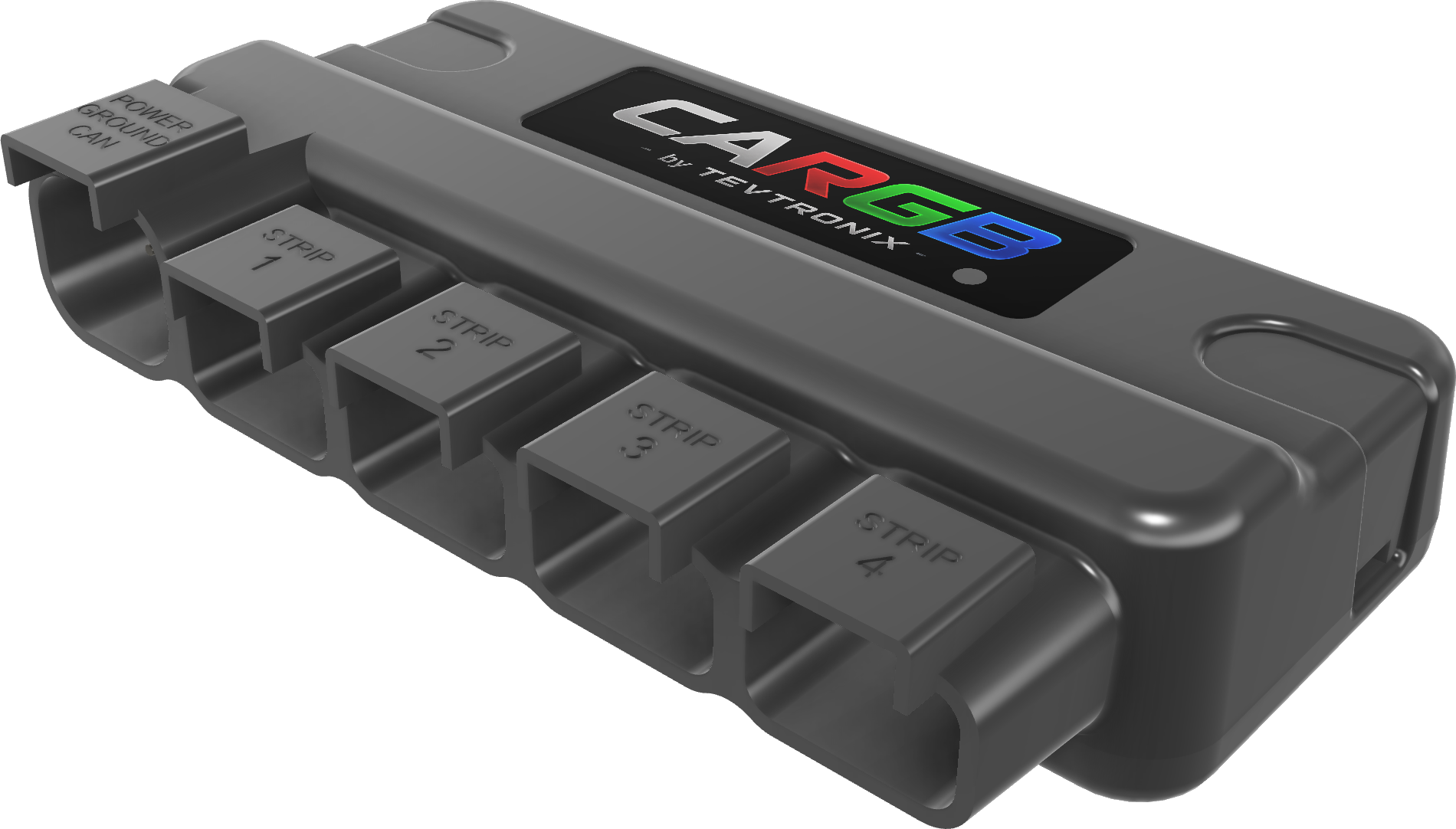
- USB-C cable
- Power, ground and CAN cable, wired to the OBDII port, with a switch on the power wire
The controller itself
- Configured over USB-C or Bluetooth
- Connectors moulded into the case
Where it goes
- Side skirts
- The classic underglow line down each side.
- Front and rear bumpers
- Wrapping both edges closes the ring around the car.
- Engine bay
- Under the bonnet, for shows and static display.
- Wherever you want
- Cut to length, capped at the end, held on adhesive clips. Grille, footwells, door cards, boot floor — anywhere you can route a lead.